Why pages are not indexed in Search Console: every reason, and which to ignore
What each reason in Google's Page indexing report means, which ones are normal and which to fix. With our own report: 94 pages indexed, 206 not, and what that told us.
On this page
Open the Pages report in Google Search Console and the first thing you see is a grey number labelled “Not indexed”. On a young site it is often larger than the green one, and it looks like a failure. It usually is not. This guide explains every reason that report can give, says which ones to ignore and which to fix, and shows our own report as a worked example.
Our own report: 94 indexed, 206 not
On 12 November 2026 our Page indexing report for auditmatic.app showed 94 pages indexed and 206 not indexed, with nine reasons. Here is the full list, as Search Console gave it:
| Reason | Pages | Worry? |
|---|---|---|
| Alternate page with proper canonical tag | 104 | Usually not |
| Not found (404) | 60 | Yes, check the list |
| Crawled, currently not indexed | 24 | Yes, for pages that matter |
| Blocked by robots.txt | 9 | Only if unintended |
| Excluded by “noindex” tag | 4 | Only if unintended |
| Page with redirect | 2 | No |
| Duplicate without user-selected canonical | 1 | Check it |
| Blocked due to unauthorized request (401) | 1 | Only if public |
| Discovered, currently not indexed | 1 | Wait, then check |
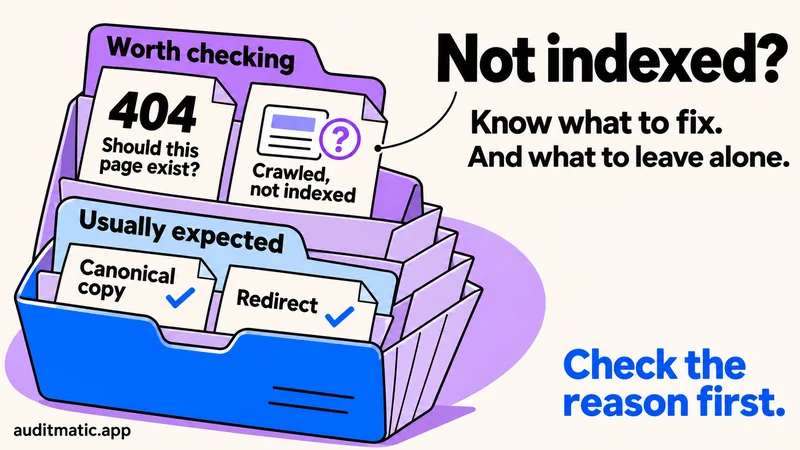
The third column is our reading, not Google's. The rest of this guide explains each row. The pattern to notice is that about half of the “not indexed” pages are canonical duplicates, which are expected, and the pages worth a closer look are a small share of the total.
Reasons that are usually normal
Alternate page with proper canonical tag
This page points to another page as its main version, and Google followed that. It is the canonical system doing its job. You see it forhttp and https variants, www and non-www, and addresses with tracking parameters. Do not try to “fix” it unless the page it points to is the wrong one.
Page with redirect
The address redirects somewhere else, so Google indexes the destination instead. That is what a redirect is for. A short list here is expected, especially after you move from www to a bare domain.
Blocked by robots.txt, excluded by noindex, and 401
These are correct when you did them on purpose: signed-in screens, admin areas, thank-you pages. They are a problem only when they hit a page you want in search. Check the example URLs and ask of each one whether you would be happy to see it in results. If not, leave it.
Reasons to act on
Not found (404)
Google asked for an address and your server said it does not exist. Two cases need different responses. If the page was removed on purpose, nothing needs to change. If it should exist, or other pages link to it, fix the link or restore the page, or redirect the old address to the closest current one. A large 404 count is common after a rebuild or rebrand, because Google can keep asking for old addresses for a long time. Our report shows 60. The example list in Search Console shows which addresses they are.
Crawled, currently not indexed
Google fetched the page and chose not to index it. Its help page says it does not index every page it crawls, so this is not always a fault. For a page that matters, the cause is usually value, not technology: thin text, near-duplicates of another page, or a page nothing links to. Add something a reader would want, link to it from related pages, and ask for indexing once.
Discovered, currently not indexed
Google knows the address but has not fetched it. Google says it may have postponed the crawl to avoid overloading the site. It is common for new pages. A guide we published on 8 November was in this state four days later, and Search Console listed only one page that linked to it. More internal links is the first fix. If a page stays here for weeks, link to it from more places.
Duplicate without user-selected canonical
Google found near-identical pages and chose one itself because you did not say which. Add a canonical tag to the version you want, or merge the pages.
How to check a single page
The report counts groups. To check one address, use URL Inspection in Search Console, which shows whether the page is indexed, when it was last crawled and which canonical Google chose. You can also test the basics from a terminal:
# Status and any noindex header
curl -sI https://example.com/page | grep -i -E "^HTTP|x-robots-tag"

# A noindex tag in the HTML
curl -s https://example.com/page | grep -i -o '<meta name="robots"[^>]*>'

# The canonical Google will read
curl -s https://example.com/page | grep -i -o '<link rel="canonical"[^>]*>'
If the status is 200, there is no noindex and the canonical points at the page itself, the page is eligible. Whether Google chooses to index it is then a question of value and links.
Two mistakes that make a report worse
- Blocking a page in robots.txt and adding noindex. Google can only see a
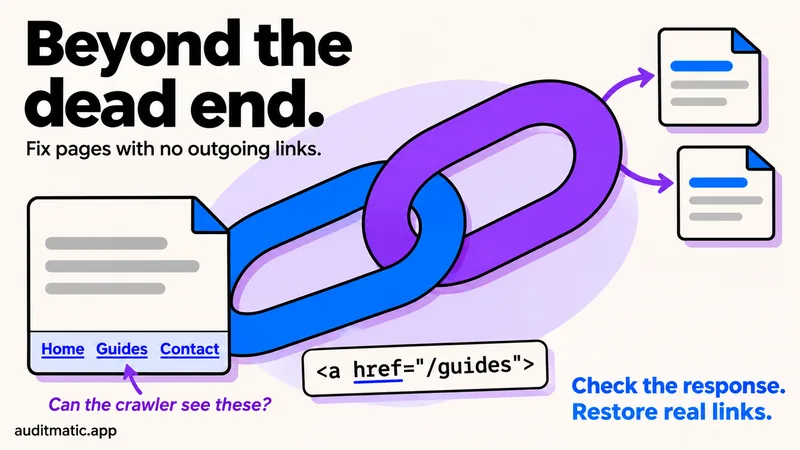
noindexon a page it is allowed to crawl. If you block the page too, it can stay in results as a bare address. Use noindex alone for pages that are already known. We covered the same trap in how to handle a page with no outgoing links, and it applied to us. - Validating before every instance is fixed. Google says validation can take up to about two weeks, and one remaining example makes the check fail. Fix them all, then click Validate fix once.
How long to wait
Google's help pages say a new site can take about a week to start being crawled and indexed, and that crawling known pages can take from a few days to a few weeks. Indexing is never instant, even after a recrawl request, and requesting the same address repeatedly does not speed it up. If a page is still missing after two weeks and nothing blocks it, work through the “act on” reasons above. For what the first two weeks looked like on a new site, with real numbers, see our first two weeks of SaaS SEO.
Do not forget Bing
Search Console covers Google only. Bing Webmaster Tools has its own index, and IndexNow lets you tell Bing and several other engines when a page changes. Google does not take part in IndexNow. The steps are in how to get cited by ChatGPT, and the wider set of technical checks is in the technical SEO audit checklist. If you want to know what to fix first once pages are indexed, see what to fix first in an audit.
Frequently asked questions
Is it bad to have more pages not indexed than indexed?
Not by itself. Duplicates, redirects and pages you blocked on purpose all count as not indexed. Look at the reasons, not the total.
Should I request indexing for every page in the report?
No. Request it for important pages after you fix a real problem. Google says repeated requests for the same address do not help.
Why do 404 pages appear if I never published them?
Google follows links and old addresses from anywhere, including other sites, old sitemaps and earlier versions of your own site. Check the example list to see where they come from.
How often does the report update?
Google says the data reflects the last crawl and can lag URL Inspection, so a page you just fixed may still show the old reason for a while.
Check your own site
An audit finds pages that are accidentally blocked, set to noindex or pointing to the wrong canonical, which are the causes you control.