SEO report template: a one-page monthly report for a small site, with a worked example
A free one-page SEO report template for small sites: the five numbers to track, what each means in Google's terms, a worked example and what to leave out.
On this page
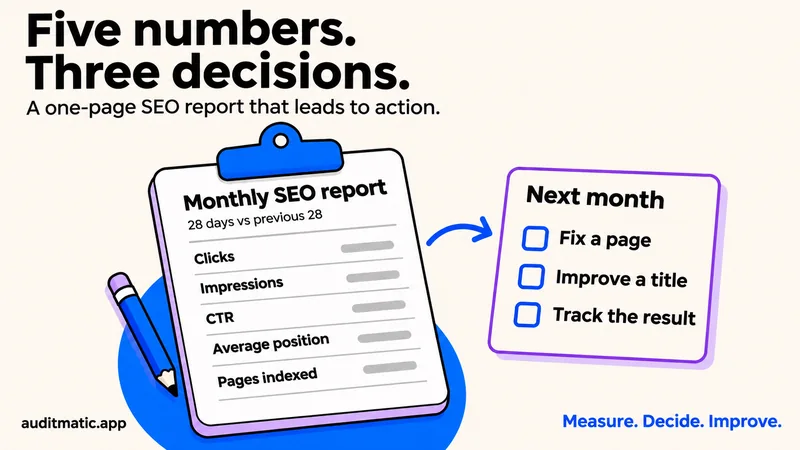
Most SEO report templates are built for agencies reporting to clients. They run to ten sections, list every metric you could track and never say what to do about any of them. If you run your own site, you need something shorter: one page you can fill in during fifteen minutes each month that ends in three decisions. This guide gives you that template, explains each number in Google's own terms, and shows a worked example.
What a small-site report is for
A report is not a record of everything that happened. It exists to answer three questions: is search sending more people to the site than last month, which pages and searches explain the change, and what will you do next. Anything that does not help you answer one of those can be left out. That is why this template has five numbers, not fifty. If you need a report on a site audit, for a client or a teammate, use the SEO audit report template instead.
The template
Copy this into a document or a spreadsheet. The source for every number is Google Search Console, which is free and measures your own site.
SEO report: [site], [month]
Compared with: the previous 28 days

1. Five numbers (this period / last period / change)
   Clicks
   Impressions
   Click-through rate (clicks / impressions)
   Average position
   Pages indexed

2. What moved
   Three pages with the biggest gain or loss in clicks.
   One line each: why we think it moved.

3. Close to page one
   Searches where we sit at positions 8 to 30 with real impressions.
   Which page answers each one.

4. Problems
   Pages dropped from the index, new errors, anything blocked.

5. Last month's actions and what happened

6. Next month: three actions
   Each one names a page or a fix. No more than three.
What each number means, and what to do about it
The definitions below are Google's, from its Search Console Performance report help. The third column is our reading.
| Number | What Google means | What to do |
|---|---|---|
| Clicks | Times a user clicked through to your site from Google Search | If it drops, find which pages lost clicks first |
| Impressions | How many times your site appeared in search results | Rising with flat clicks: improve titles, not rankings |
| Click-through rate | Clicks divided by impressions | Low at a good position: rewrite the title and description |
| Average position | The average position of the topmost result from your site | Use it as a trend only, because new queries move it |
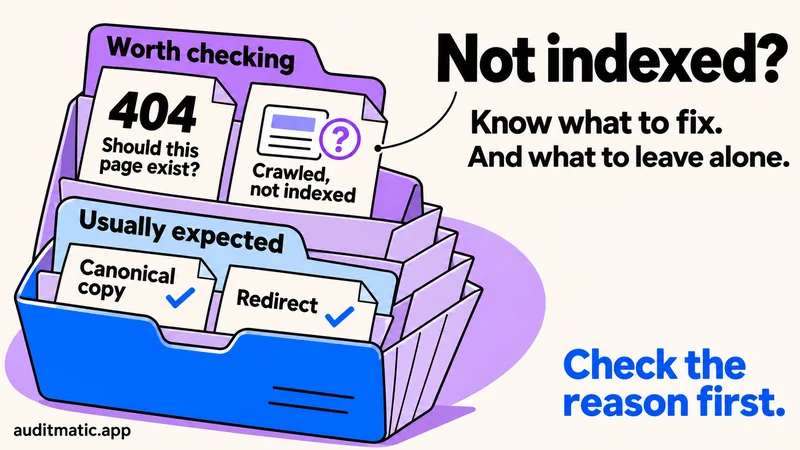
| Pages indexed | Pages in the Page indexing report marked as indexed | A drop means a problem: check the reasons first |
Average position deserves a warning. Google counts it only for pages that received an impression, and it takes the topmost result per search. When your site starts appearing for new, harder searches, the average can get worse while the site gets better. Read it alongside impressions.
A worked example
| Number | Last | This | Decision |
|---|---|---|---|
| Clicks | 420 | 510 | Keep going |
| Impressions | 14,000 | 18,500 | Rising: check CTR |
| Click-through rate | 3.0% | 2.8% | Rewrite two titles |
| Average position | 24 | 26 | Ignore: new queries |
| Pages indexed | 58 | 63 | Fine |
Read it the way the template tells you to. Clicks and impressions are both up, so the site is growing. Click-through rate slipped a little, which is what you expect when impressions grow faster than clicks, so the action is to rewrite two titles. Average position got slightly worse and is ignored, because impressions grew from new searches at lower positions. The report ends with three actions, not with a verdict.
What to know about the data
- It lags. Google says data is normally available in two to three days, and the newest days can be preliminary and change. Do not report the last three days.
- It is incomplete on purpose. To protect privacy the report leaves out rare queries, so the table will not add up to the chart.
- Tables are capped. The interface shows up to 1,000 rows, so export each month and keep your own copy, or pull more with the Search Console API.
- Dates use Pacific time. Daily numbers can differ a little from your own analytics.
The chart and the table can show different totals, because the chart is counted by property and the table by the dimension you picked. Use one of them for the comparison, and use it every month.
What to leave out
- Bounce rate. In Google Analytics 4 the headline measure is engagement rate. Many templates still list bounce rate first.
- Domain Authority and Domain Rating. They are scores from third-party tools, not something Google uses.
- Total keywords and total backlinks. Big numbers that do not drive a decision.
- One favourite keyword. A single search can move a lot without meaning anything.
Have your agent write it
If you use an AI agent connected to Auditmatic, it can build this report from your data and save it as a page you can share, using Reports. A prompt that works:
Write my monthly SEO report for example.com. Use Search Console
for the last 28 days against the previous 28. Follow this structure:
five numbers, three pages that moved, searches at positions 8 to 30,
problems, last month's actions, three actions for next month. End each
section with a decision. Save it as a report.
The agent reads real Search Console data, so the numbers are not guessed. Setup is in how to run an SEO audit with Claude Code. If a page count looks wrong, the reasons are explained in why pages are not indexed in Search Console.
A 15-minute monthly routine
- Open Search Console and set the range to the last 28 days compared with the previous 28.
- Write down the five numbers and the change in each.
- Sort pages by change in clicks and note the top three gains and losses.
- Filter queries to positions 8 to 30 and list the ones with real impressions.
- Check the Page indexing report for new reasons, and run a free audit.
- Pick three actions. Write them down before you close the tab.
The SEO audit checklist covers what to fix first when the report shows a problem.
Frequently asked questions
How often should I do an SEO report?
Monthly is enough for most small sites. Weekly numbers move too little to read, and quarterly leaves problems unseen for too long.
Do I need Google Analytics for this?
Not for the five numbers. Search Console covers them. Add Analytics when you want to connect search visits to sign-ups or sales.
How long should an SEO report be?
One page. If it needs more, you are listing metrics instead of making decisions.
Can I include AI search in the report?
Yes, as a separate line. There is no free first-party data for it yet, so track a fixed set of prompts on a schedule and compare month to month with a tool built for it. We explain how in AI visibility tracking.
Run a free audit first
The problems section of your report is easier to fill in with an audit. Enter your address below.